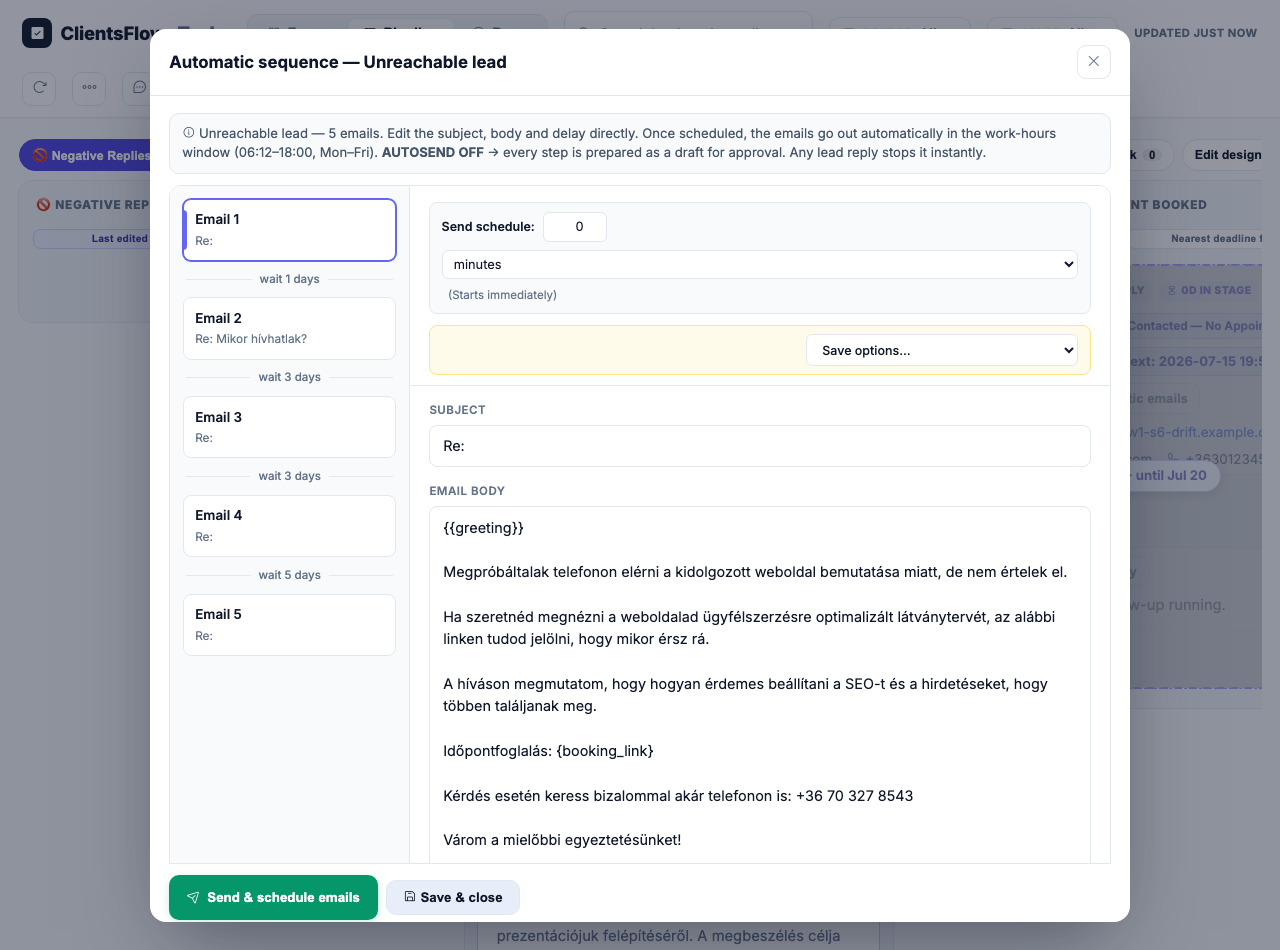
(0) Expect: A modal showing the full sequence of 5 emails with resolved placeholders (greeting and booking link) and the company name ZZ-S1-SEND Kft, with a Send & schedule emails button at the bottom.
(1) Look at: The entire modal window, specifically the email body content and the header.
(2) I see: The modal is open, but it displays raw placeholders like '{{greeting}}' and '{booking_link}' instead of resolved text. Additionally, the company name 'ZZ-S1-SEND Kft' is not visible in the modal header or content. The email body is clearly showing unrendered template tags.
(3) Discrepancy: YES
(4) Assessment: real_error
Observed: The screenshot shows a modal titled 'Automatic sequence — Unreachable lead'. On the left, there is a list of 5 emails with wait times between them. On the right, the email body for 'Email 1' is displayed, which contains unresolved placeholders like '{{greeting}}' and '{booking_link}'. A 'Send & schedule emails' button is visible at the bottom.
Why: The email body contains raw placeholders ('{{greeting}}' and '{booking_link}') instead of the resolved greeting and canonical sign-off, violating the requirement that no raw tokens should be visible.
· REVERT to pre-click state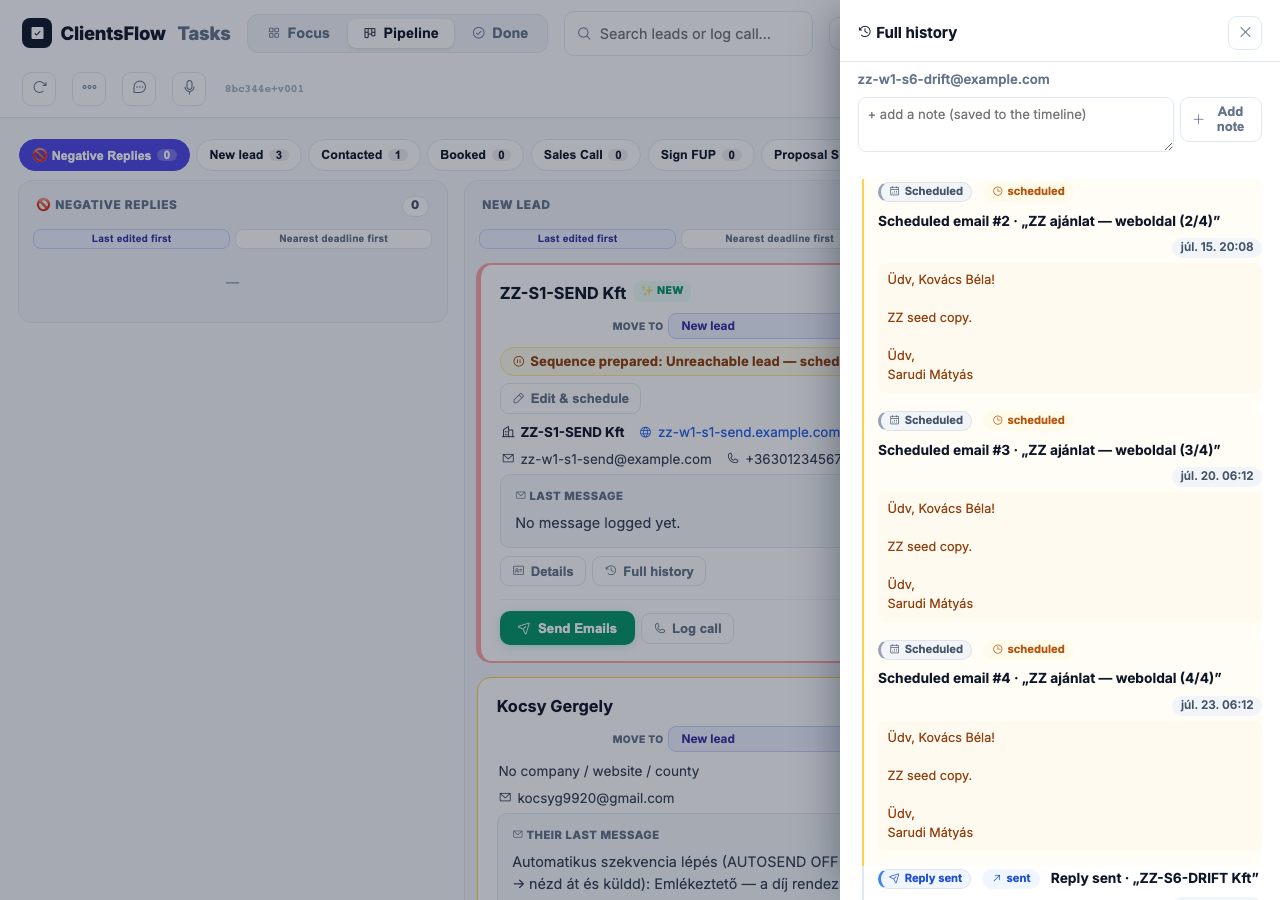
(0) Expect: The scheduled row for ZZ-S6-DRIFT Kft should be highlighted in amber with a 'Review needed — lead data changed' badge, and the history should show a 'Scheduled email held (data changed)' entry.
(1) Look at: The 'Full history' side panel on the right side of the screen.
(2) I see: The side panel shows a list of scheduled emails for zz-w1-s6-drift@example.com. All scheduled items are displayed with standard 'Scheduled' labels and no amber highlighting or 'Review needed' badges. There is no entry indicating that an email is held due to data changes.
(3) Discrepancy: YES
(4) Assessment: real_error
Observed: The screenshot shows the 'Full history' sidebar for the lead 'zz-w1-s6-drift@example.com'. There are three scheduled emails (#2, #3, #4) visible in the timeline. All of them display the standard blue 'Scheduled' badge and orange 'scheduled' status text. There is no amber row with a 'Review needed — lead data changed' badge, nor is there a 'Scheduled email held' entry in the history.
Why: The system failed to put the scheduled emails on hold after the lead data changed. The expected 'Review needed' badge and held status are missing from the scheduled rows in the history panel, indicating the drift detection or hold mechanism did not trigger.
· REVERT to pre-click state